Import old CCS project: Difference between revisions
From DSignT Support Database
Jump to navigationJump to search
WikiImporter (talk | contribs) (Pushed from DSignT Issue Database.) |
WikiImporter (talk | contribs) (Pushed from DSignT Issue Database.) |
||
| Line 37: | Line 37: | ||
{{pagetop}} | {{pagetop}} | ||
== Additional Tags == | == Additional Tags == | ||
[[Migrating C2000 Projects from CCSv3.3 to CCSv4|Migrating old projects]] | |||
[[category:CCS5]] | [[CCS4 open old CCS3 DSP/BIOS project]] | ||
[[category:CCS5 Usage]] | |||
Revision as of 11:16, 23 March 2012
'File' - 'Import'
To import an old CCS project to CCS4/CCS5 choose 'File' - 'Import' from CCS menu. In the 'Import' dialog select 'Legacy CCSv3.3 Projects' and click 'Next >'
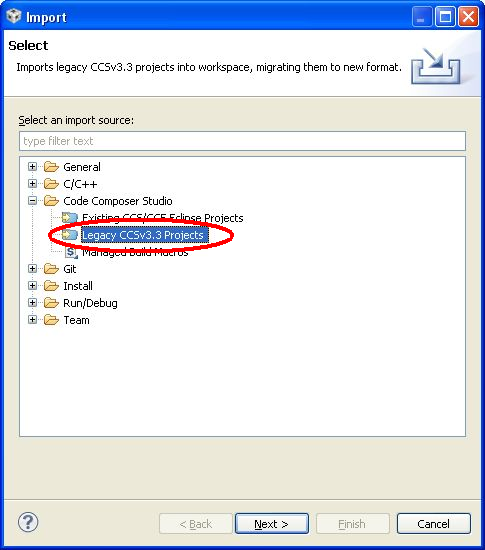

Select Legacy Project
In the following dialog de-activate the option 'Create a subfolder for each Eclipse project' and browse for the import directory
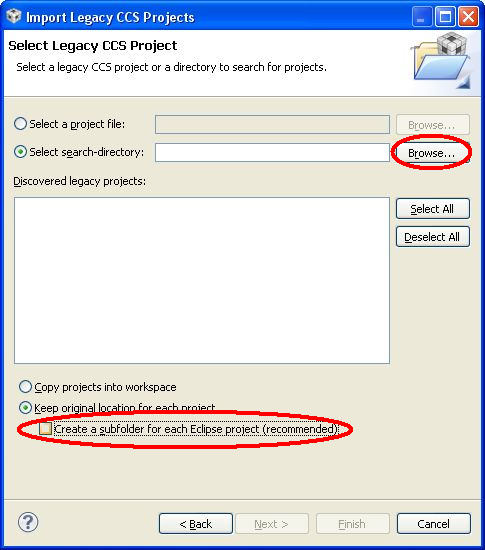
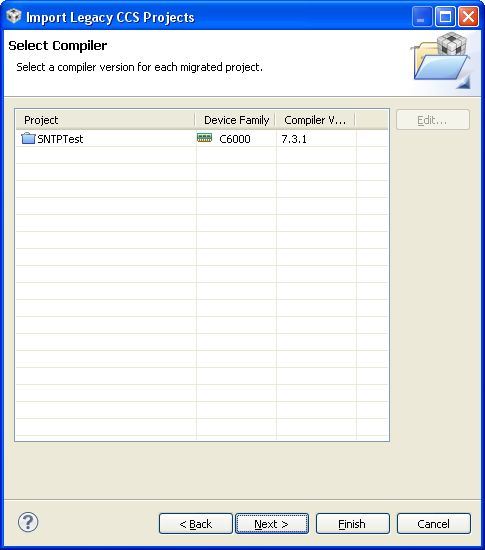
Select Compiler
Select compiler tools and press 'Next >'
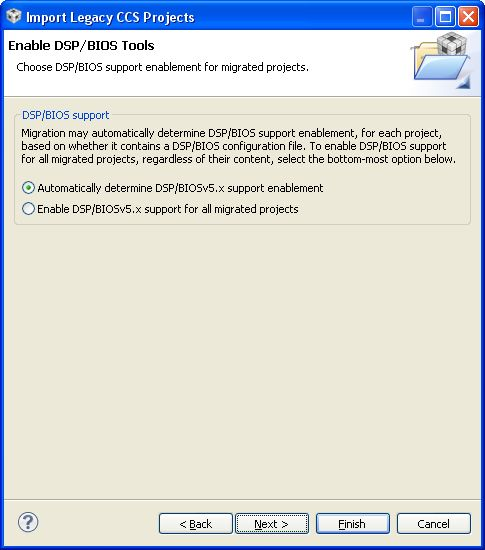
Enable DSP/BIOS Tools
Choose 'Automatically determine DSP/BIOS support' and click 'Next >'
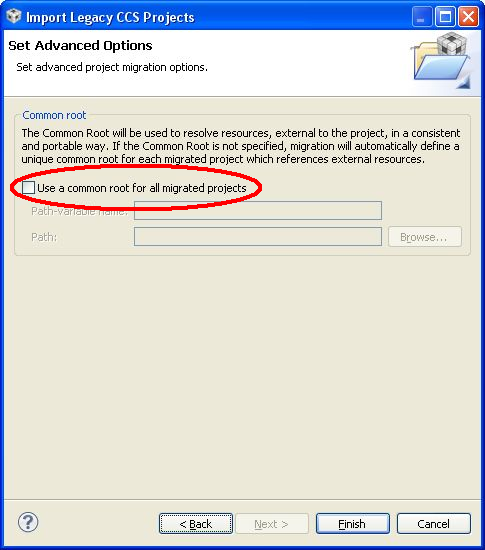
Advanced Option: Common root
De-activate 'Use a common root for all migrated projects' and press 'Finish'
Additional Tags
Contact  Support
