Import old CCS project
'File' - 'Import'
To import an old CCS project to CCS4/CCS5 choose 'File' - 'Import' from CCS menu.
Legacy CCSv3.3 Projects
In the 'Import' dialog select 'Legacy CCSv3.3 Projects' and click 'Next >'
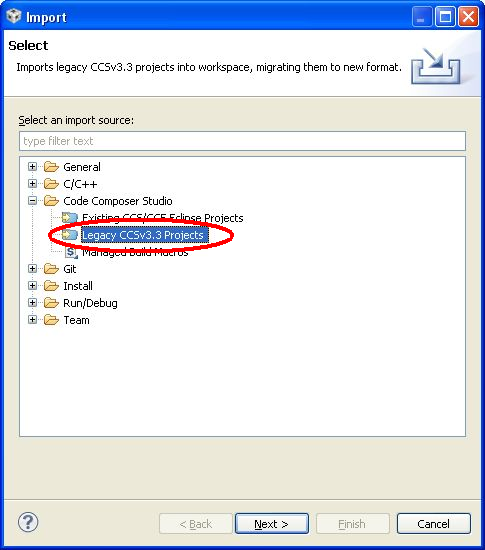

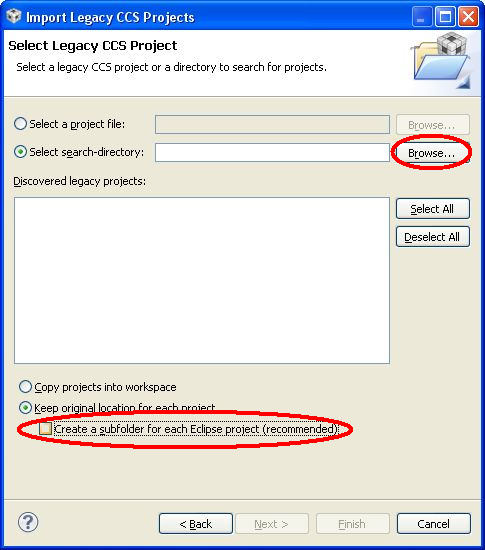
Select Legacy Project
In the following dialog browse for the import directory
|
|

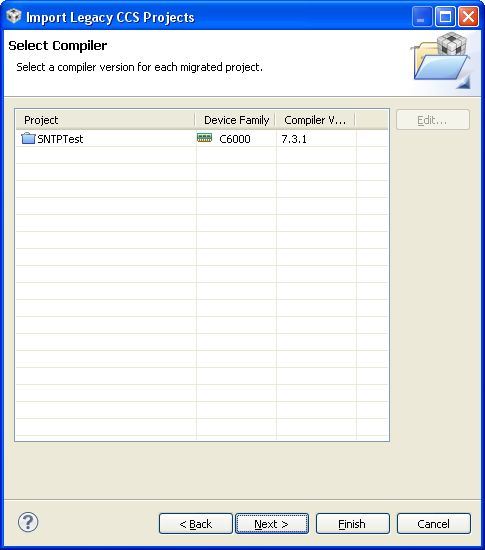
Select Compiler
Select compiler tools and press 'Next >'
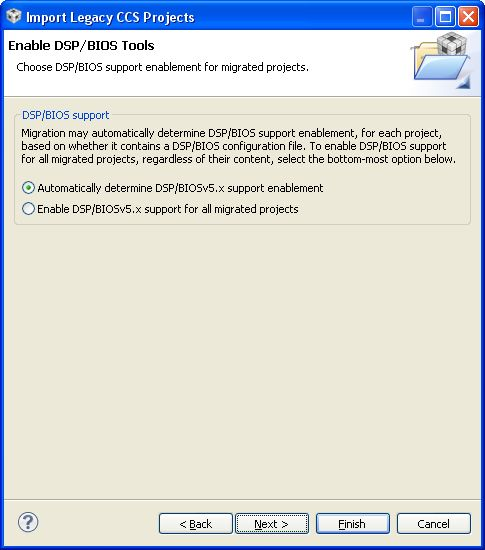
Enable DSP/BIOS Tools
Choose 'Automatically determine DSP/BIOS support' and click 'Next >'
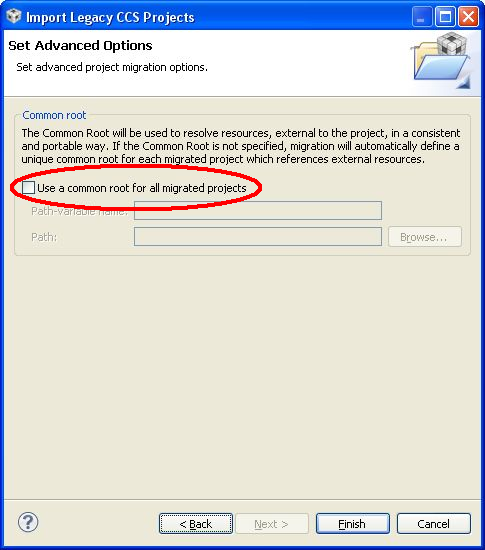
Advanced Option: Common root
De-activate 'Use a common root for all migrated projects' and press 'Finish'
Additional steps that may be required
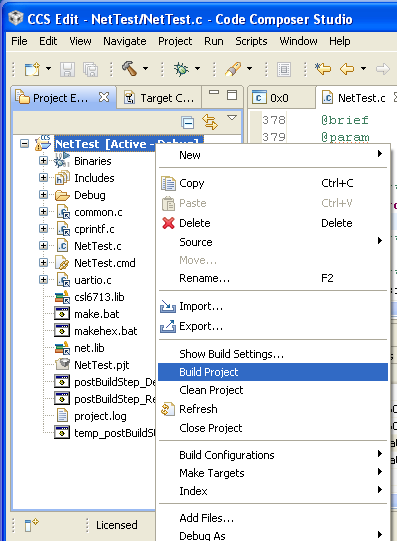
Build project
Try to build the project:
If CSL is not installed properly, warnings may occur:
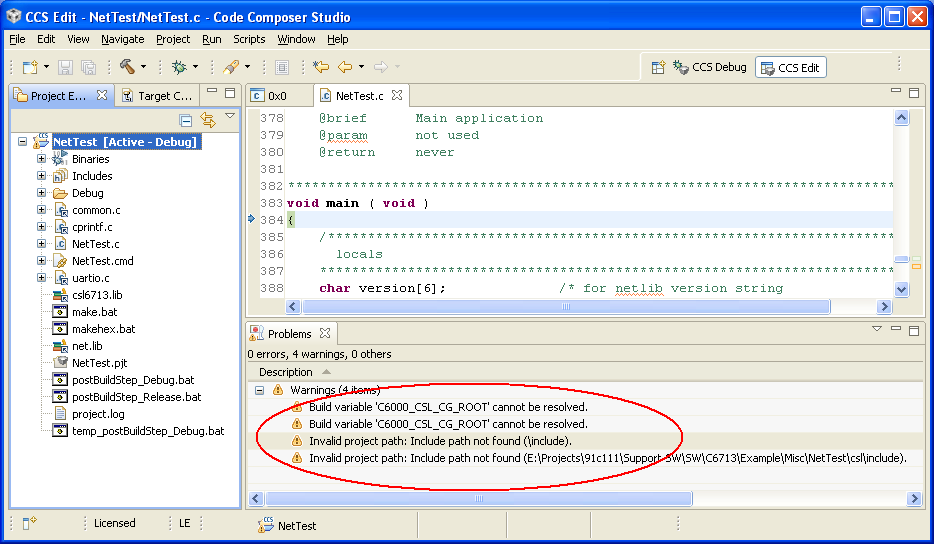
Eliminate unresolved path or CSL-variable warnings
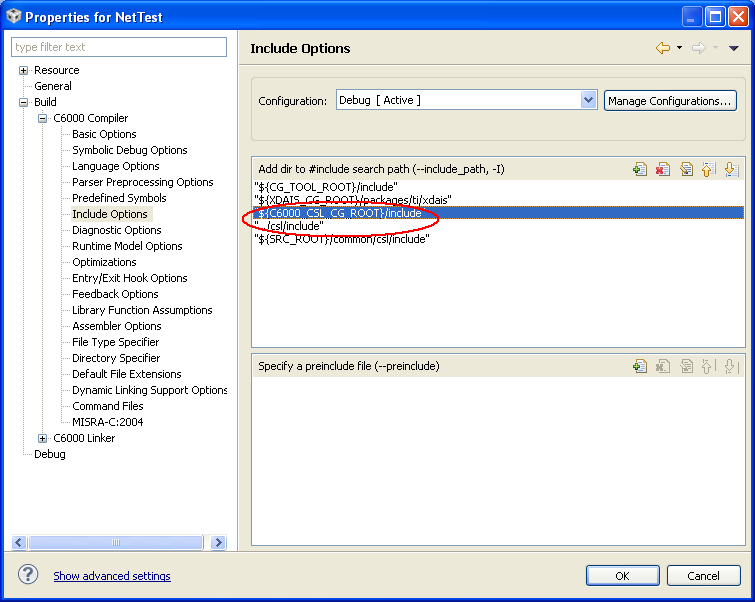
Press [Alt-Enter] to open properties dialog for the current project. Select "Build -> C6000 Compiler -> Include Options" and delete "${C6000_CSL_CG_ROOT}/include" and "../csl/include" (C6000 may vary depending on used DSP family):
Select "Build -> C6000 Linker -> File Search Path" and delete "${C6000_CSL_CG_ROOT}/lib" (C6000 may vary depending on used DSP family):
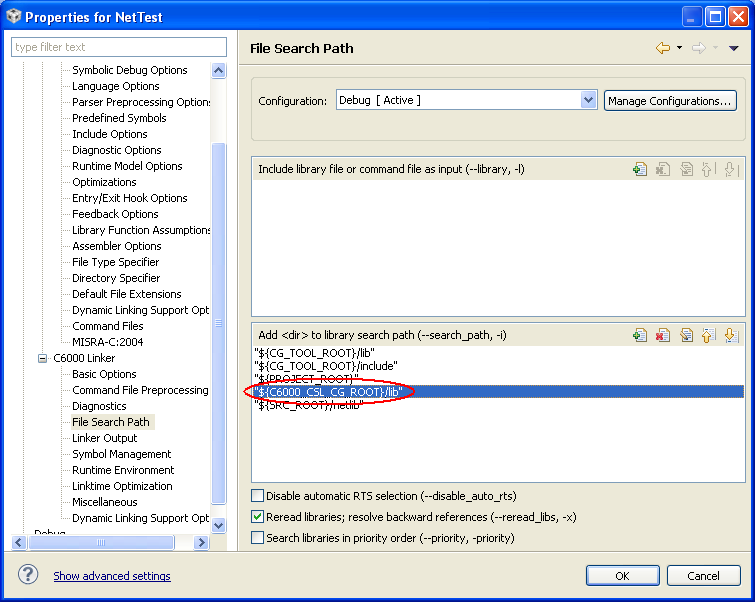
The project should compile now without warnings.
Check Memory Model
Depending on target DSP and age of the project file the importer is not able to recognize the correct memory model. Check the memory model under "Processor Options" and chose memory model "large" if this option is missing.
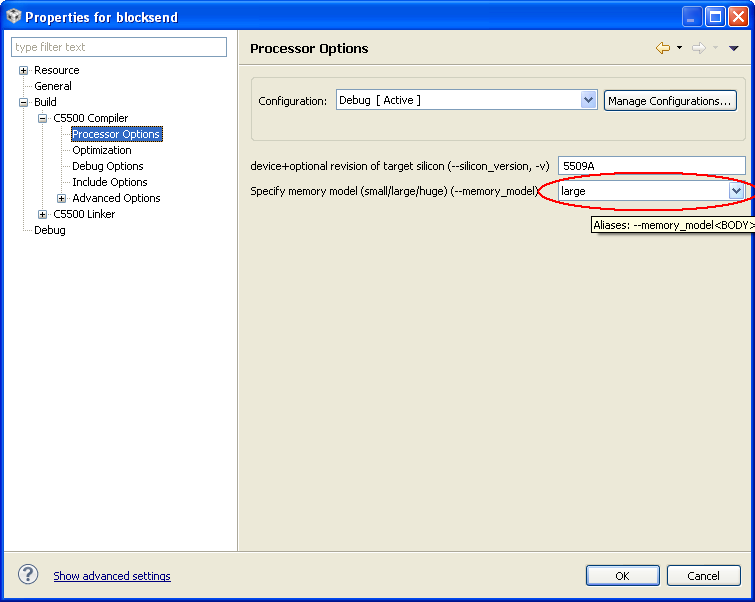
Additional Tags
Contact  Support
