Import old CCS project
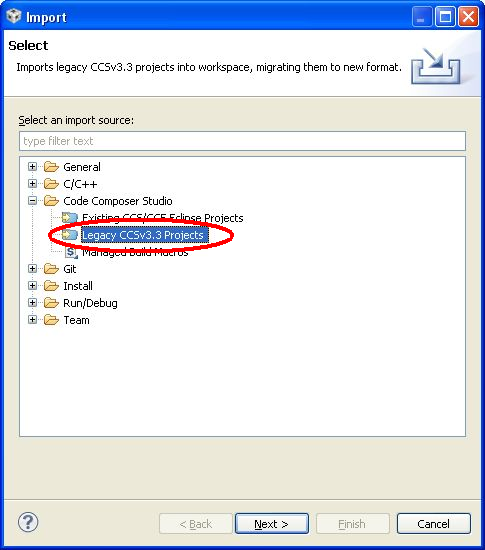
'File' - 'Import'
To import an old CCS project to CCS4/CCS5 choose 'File' - 'Import' from CCS menu.
Legacy CCSv3.3 Projects
In the 'Import' dialog select 'Legacy CCSv3.3 Projects' and click 'Next >'

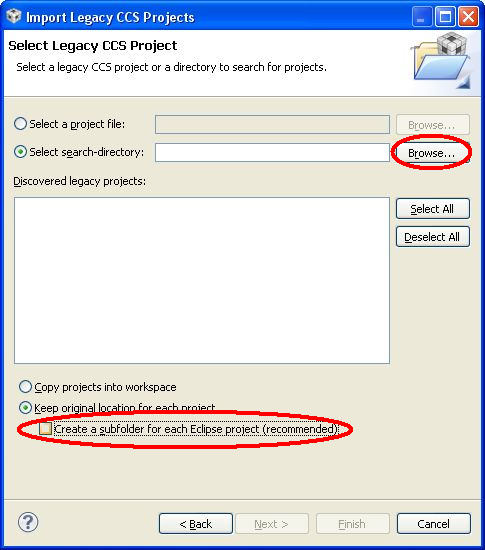
Select Legacy Project
In the following dialog browse for the import directory
|
|

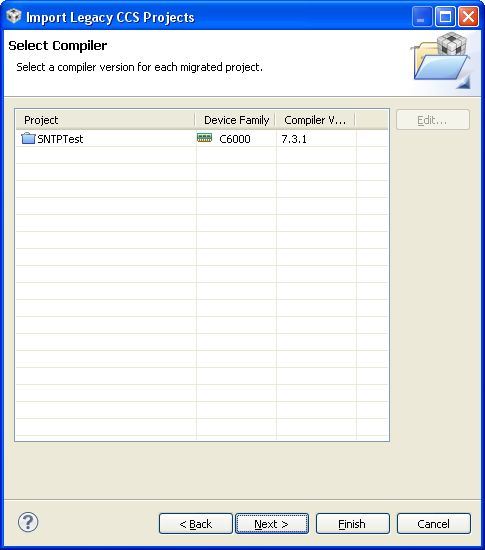
Select Compiler
Select compiler tools and press 'Next >'
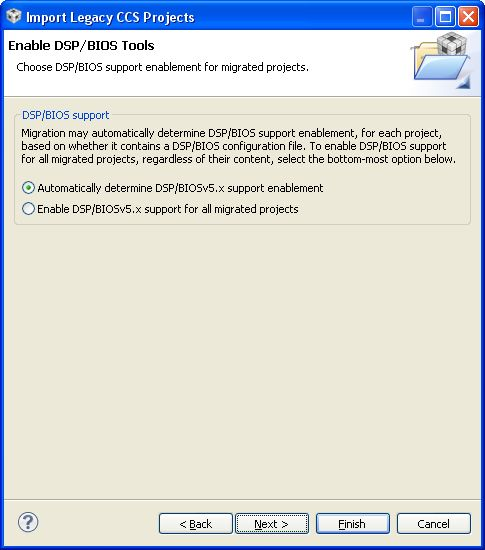
Enable DSP/BIOS Tools
Choose 'Automatically determine DSP/BIOS support' and click 'Next >'
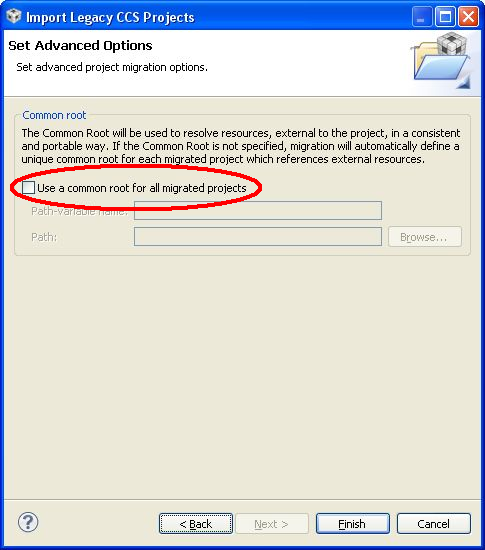
Advanced Option: Common root
De-activate 'Use a common root for all migrated projects' and press 'Finish'
Additional steps that may be required
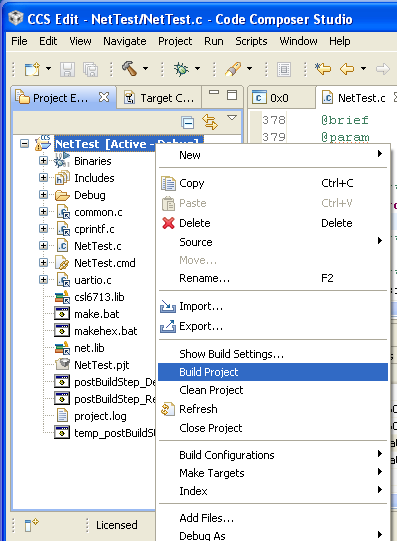
Build project
Try to build the project:
If CSL is not installed properly, warnings may occur:
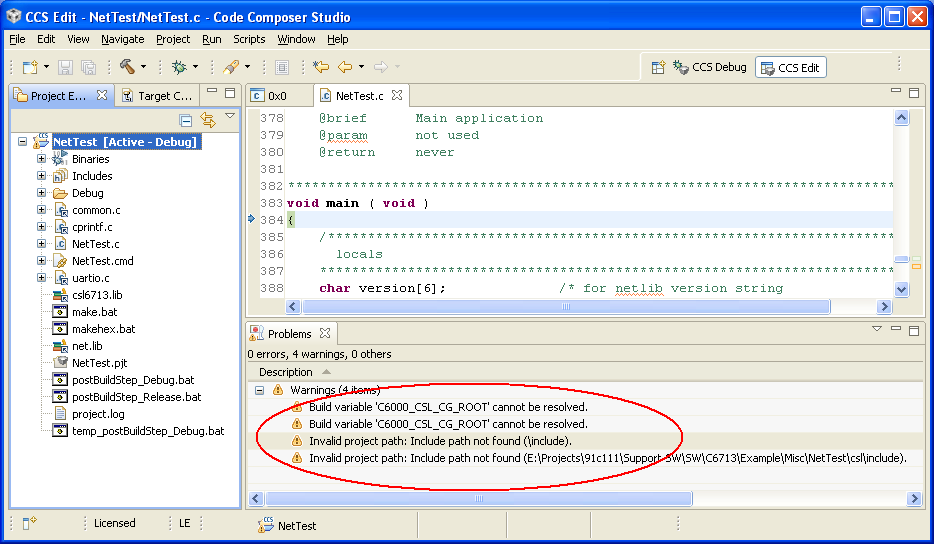
Eliminate unresolved path or CSL-variable warnings
Press [Alt-Enter] to open properties dialog for the current project. Select "Build -> C6000 Compiler -> Include Options" and delete "${C6000_CSL_CG_ROOT}/include" and "../csl/include" (C6000 may vary depending on used DSP family):
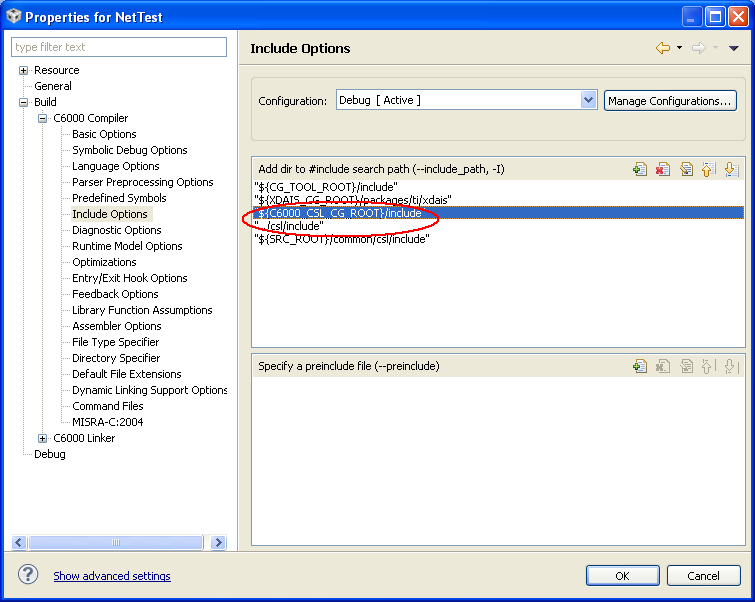
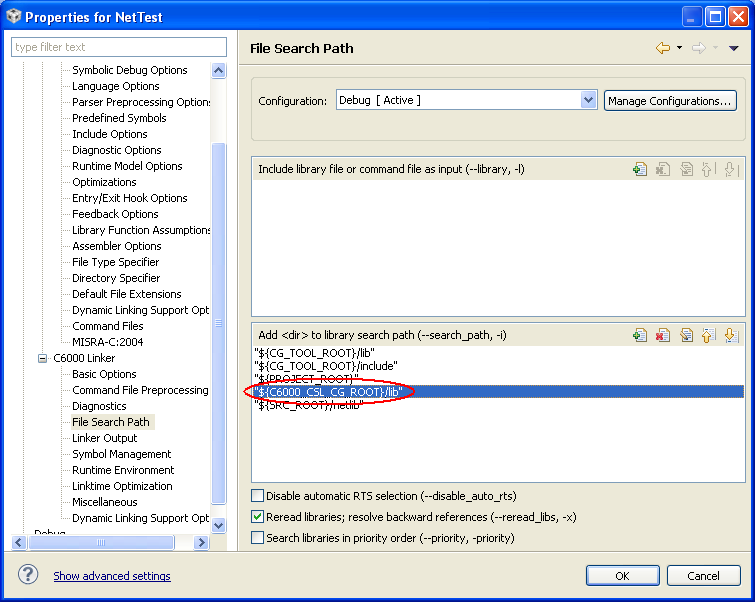
Select "Build -> C6000 Linker -> File Search Path" and delete "${C6000_CSL_CG_ROOT}/lib" (C6000 may vary depending on used DSP family):
The project should compile now without warnings.
Additional Tags
Contact  Support
